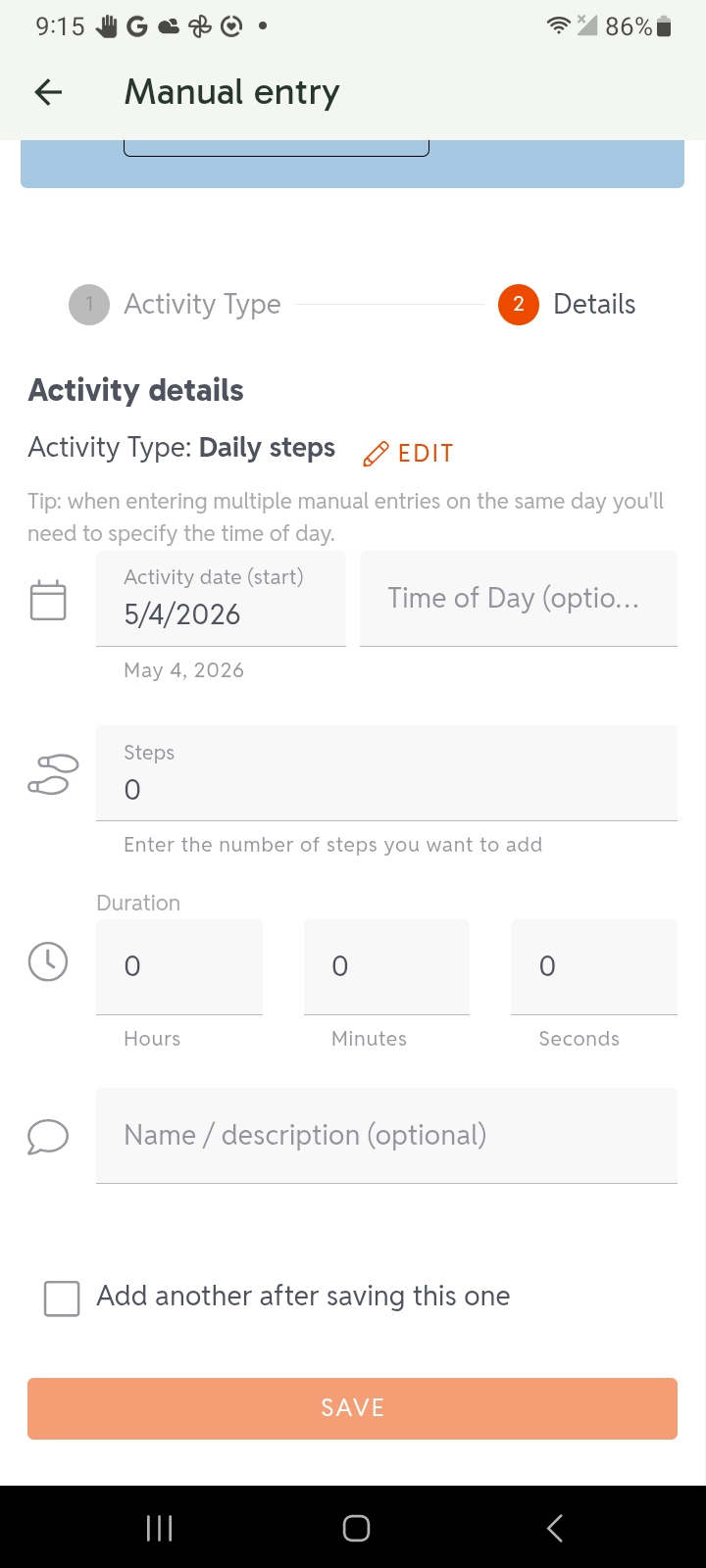
Manually Entering Steps
For events that support manual entry of steps, here is the process in the app:
-
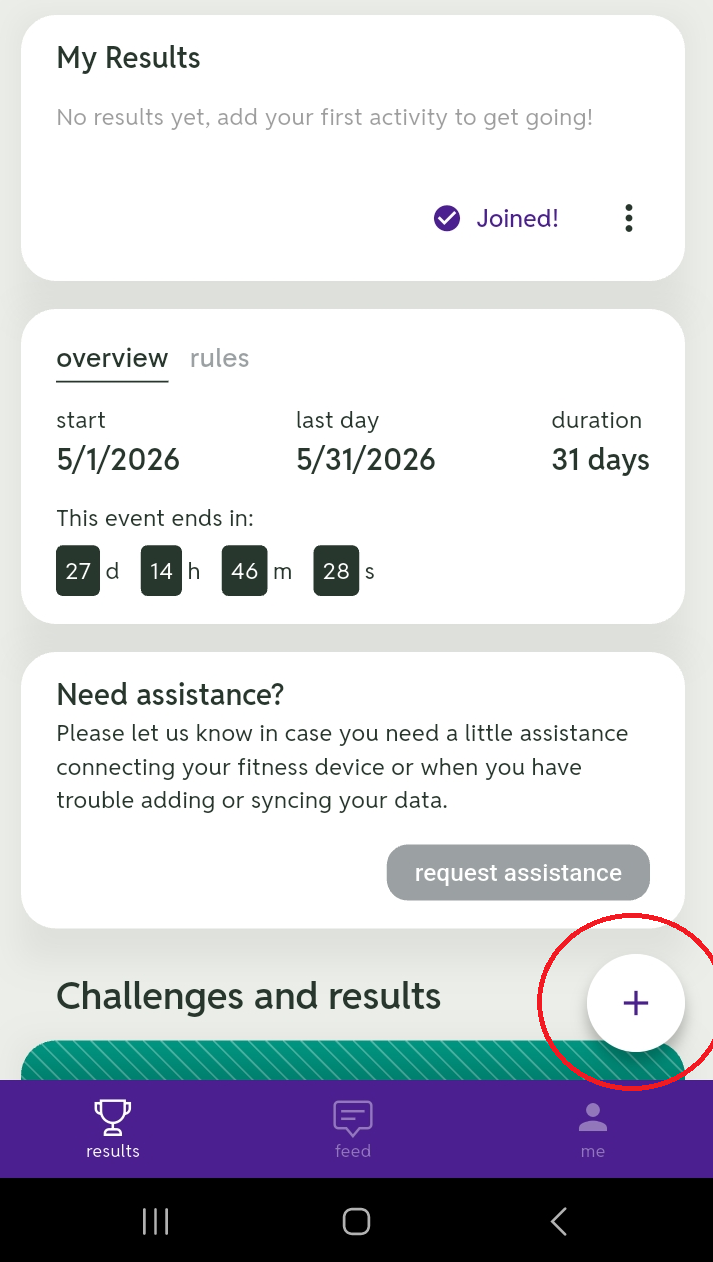
Tap the plus sign (+) in the lower right.
-
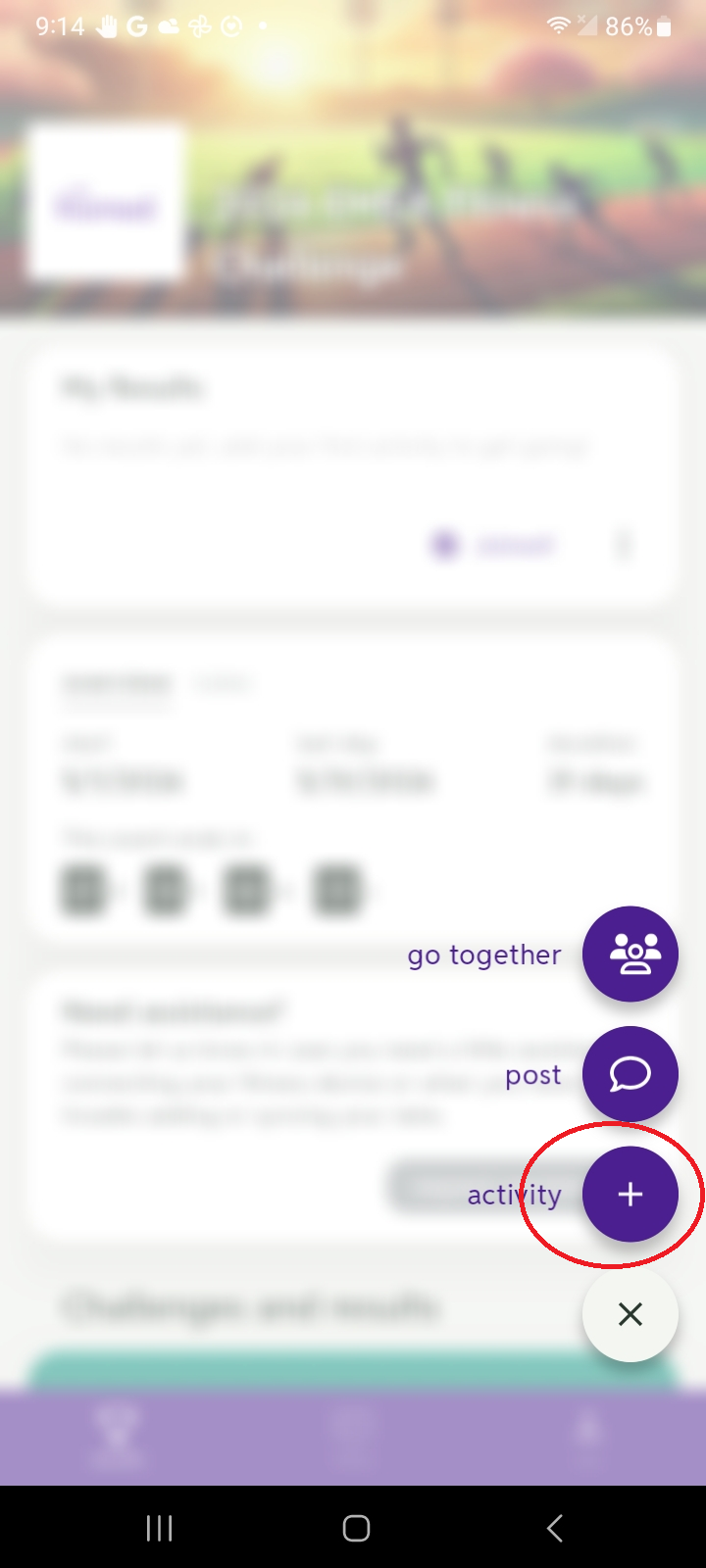
Tap activity.
-
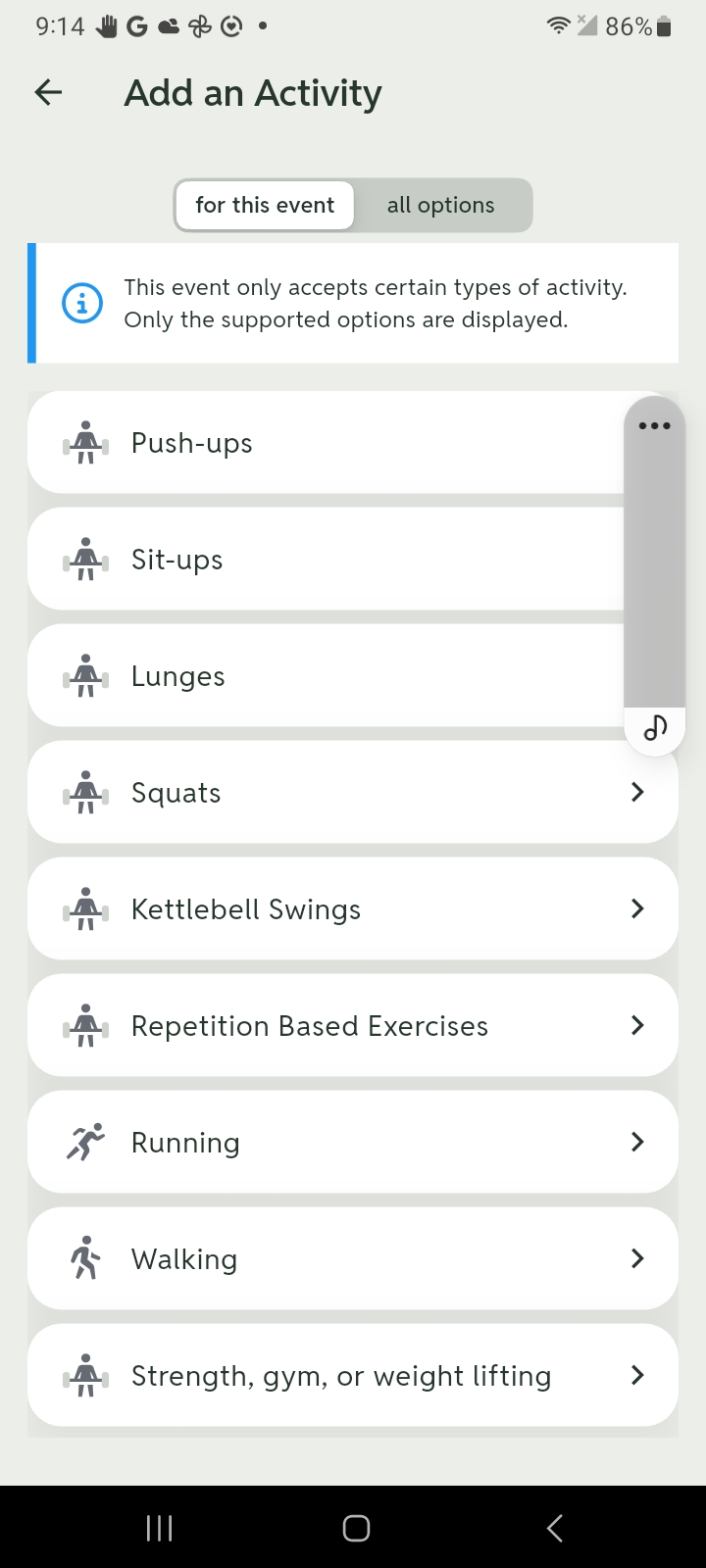
Tap any of the listed activities.
-
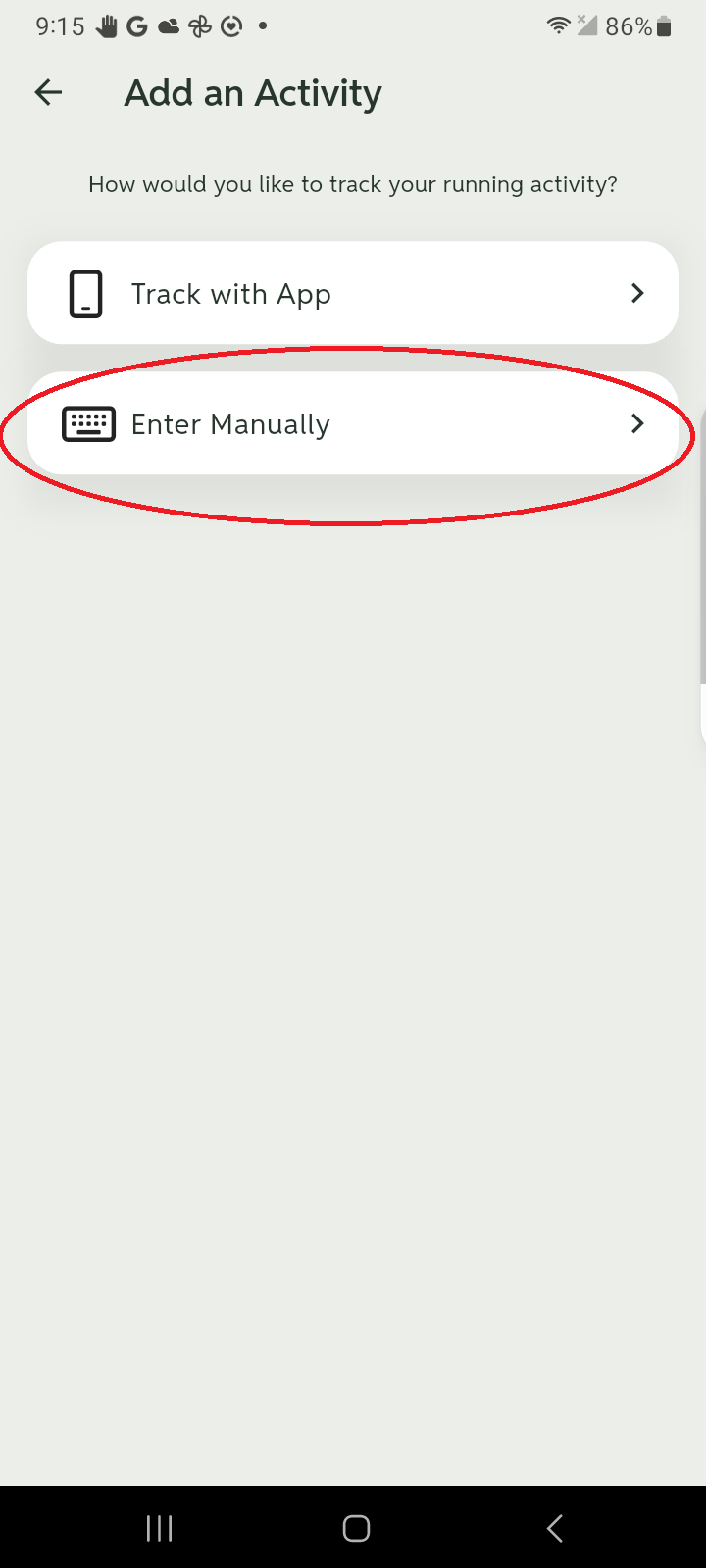
Tap Enter Manually.
-
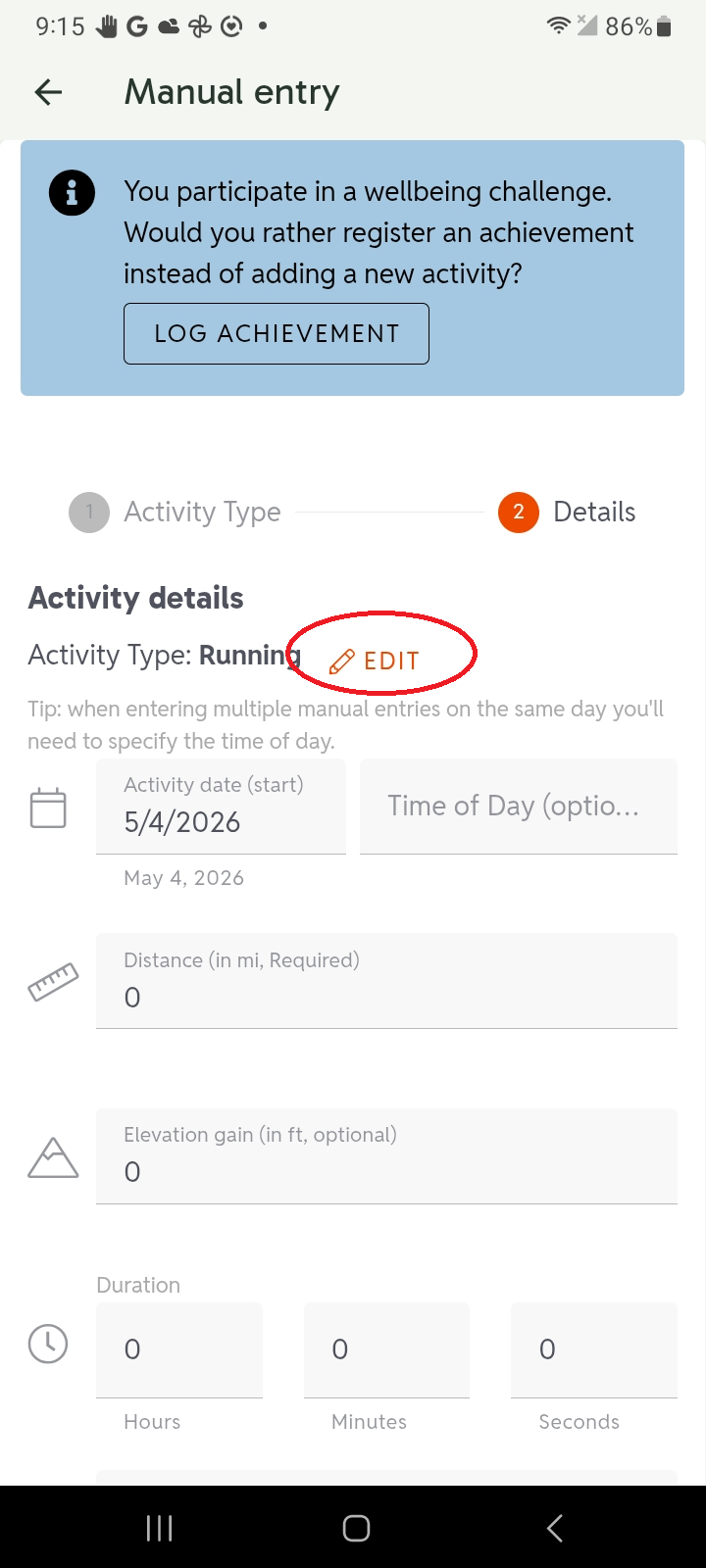
Tap EDIT.
-
Tap Daily steps.
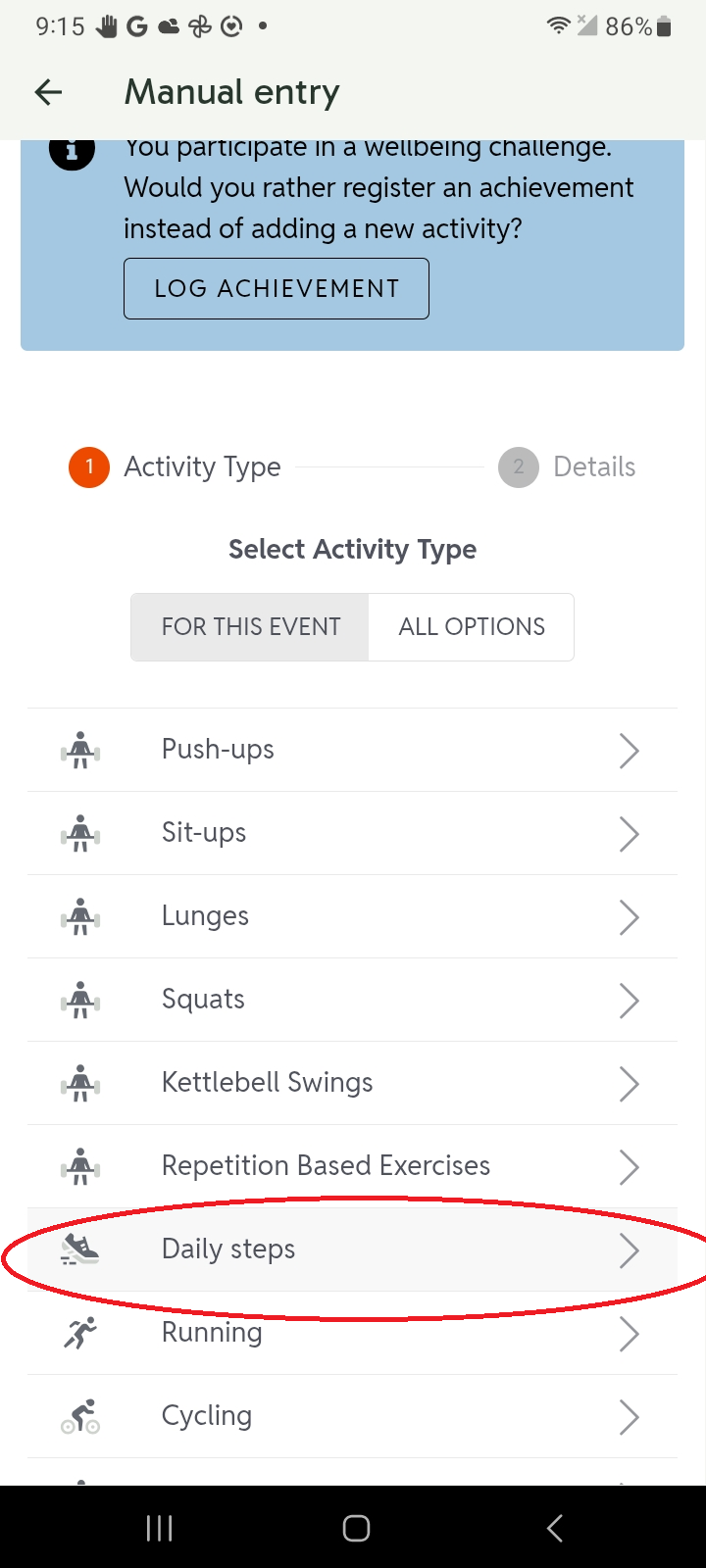
- Enter the date and number of steps and tap SAVE.