
Inviting Friends
Linking with other participants by inviting them as friends is a great way to track each other's progress and challenge each other.
Inviting Friends In The App
- Tap feed at the bottom of the screen.
-
Tap the friends tab at the top of the feed screen
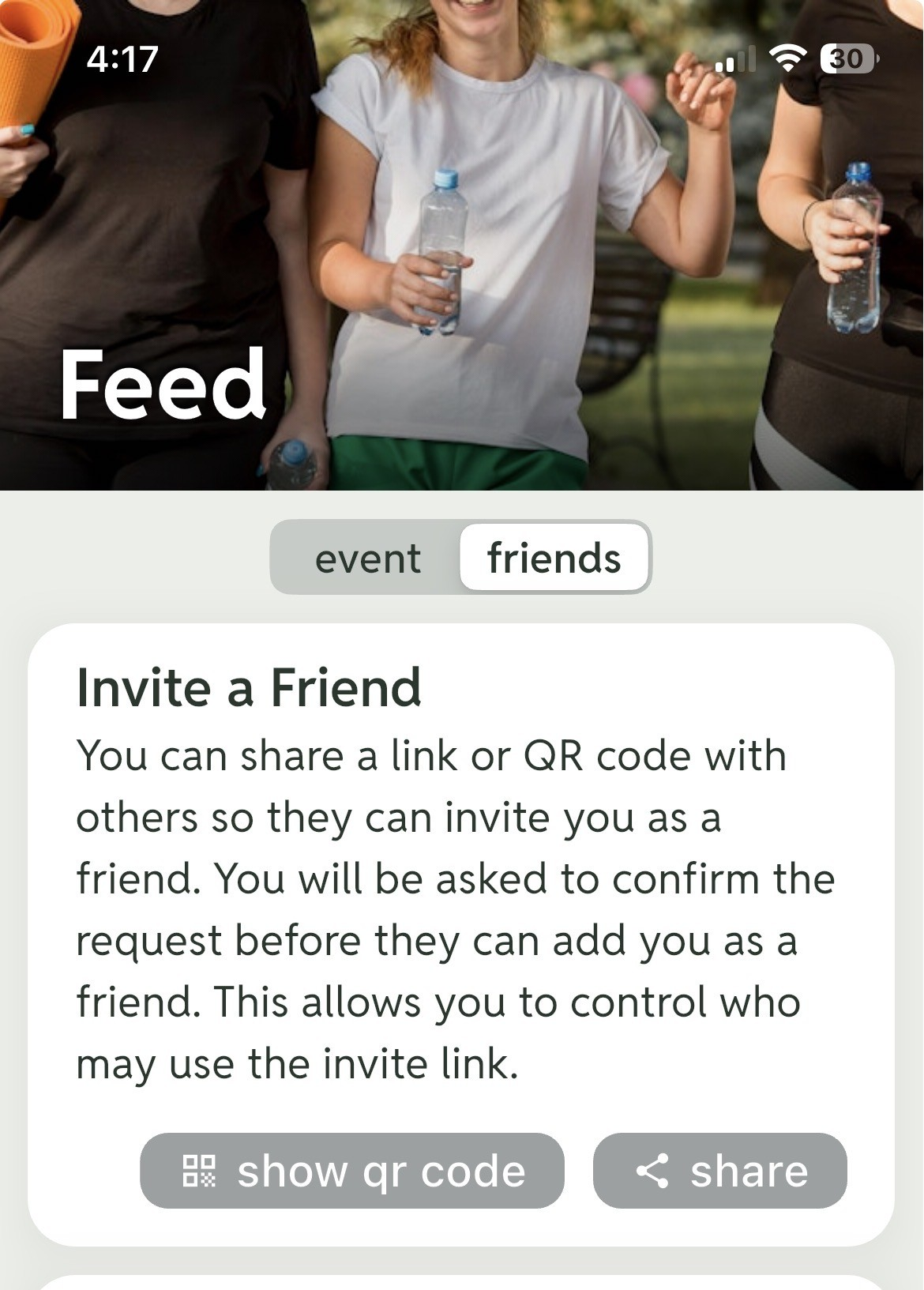
- Tap show qr code to view and share a QR code that your friend can scan to link with you. You can also share a link through whatever share options your phone offers (e.g., email, text, social media).
- When the person you invite acts upon the invitation from step 3 above, there will be an option to accept and to invite you back.
- To complete this action, look for a notification for the invitation from your friend in step 4 and accept.
Inviting Friends In A Browser
-
In your DASHBOARD, select the FRIENDS tab.

- Tap SHOW QR CODE to view and share a QR code that your friend can scan to link with you. You can also COPY LINK and share the link however you choose.
- When the person you invite acts upon the invitation from step 3 above, there will be an option to accept and to invite you back.
- To complete this action, look for a notification for the invitation from your friend in step 4 and accept.
