
Crew and Friend Challenges
When your organization has an active event or subscription, you can create your own sub-challenges and invite others to join your challenge! You can set the challenge rules and choose the goal. Inviting others to join is easy. Your sub-challenge will have its own unique QR code that you can share however you choose. Once you publish your sub challenge, these are emailed to you, so it's easy to forward this information to others. Please note that only existing participants in your challenge or organization can participate in the crew and friend challenge.
Crew Challenges vs. Friend Challenges
There really isn't that much difference between a Crew Challenge and a Friend Challenge. Crew Challenges include any subset of participants you want to include in your challenge, whether you've friended them in MoveZenGo or not. Friend Challenges are between you and someone you have directly friended. They tend to be limited to just two people.
Creating a Crew Challenge
There are several ways to create a crew challenge.
In The App From The Results View
- In the My Results block, tap the vertical ellipsis (⋮)
-
Tap My Sub Challenges
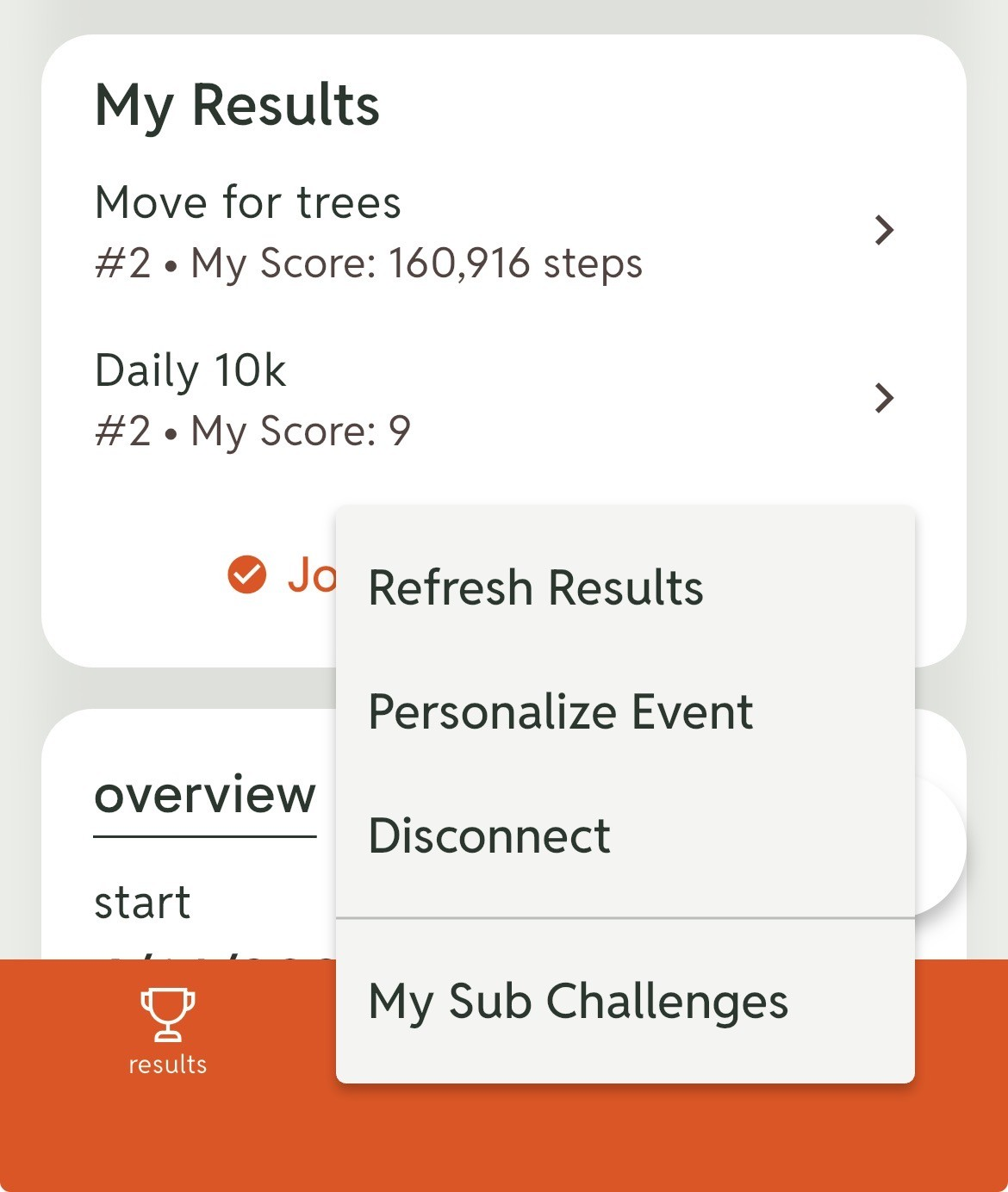
- Tap Create New Subchallenge
- Select the type of challenge you want to create from our ever-growing list of Ready-to-go challenges.
- Select the rules you want to apply to your challenge, including its name, start date, end date, etc.
- Tap CREATE.
Your crew challenge is created. You will see a link to show your QR code or to copy the join URL on your screen. You will also receive an email with this information.
In The App From The Me View
- Scroll down until you see the My Organizations block and tap it
- Select your organization
- Tap Create New Subchallenge
- Select the type of challenge you want to create from our ever-growing list of Ready-to-go challenges.
- Select the rules you want to apply to your challenge, including its name, start date, end date, etc.
- Tap CREATE.
Your crew challenge is created. You will see a link to show your QR code or to copy the join URL on your screen. You will also receive an email with this information.
Creating a Friend Challenge In The App
- Tap me (bottom right)
- Scroll down until you see the View Friends block and tap it. Note that this is also where you can view all your current friend challenges
- Select the friend you want to challenge
- Tap Challenge!
- Tap Confirm
- Tap Okay
- Select the type of challenge you want to create from our ever-growing list of Ready-to-go challenges.
- Select the rules you want to apply to your challenge, including its name, start date, end date, etc.
- Tap SAVE.
Your crew challenge is ready. You will receive full information about your friend challenge.
Creating Subchallenges From A Web Browser
Subchallenges can also be created from the web interface. We are redesigning this interface and will add instructions once the new version is complete. In the meantime, that function currently works as an undocumented feature.